Building an accounting team with Grok Bot
By Annay (Paul) Bains, Will Smerdon, and Erin Jenks
Five Grok Bots at SpaceXSI each own an accounting job end to end, from provisioning a customer account to collecting payment. They only involve a person when the work needs judgment.
Most accounting teams organize their work around a set of well-defined jobs, from managing customer accounts to billing and collecting payments.
At SpaceXSI, we're starting to assign those jobs to Grok Bots. Each Bot takes responsibility for an entire process, working independently and involving us when it encounters something that requires human judgment or approval. They're allowing us to handle more work without increasing headcount at the same rate.
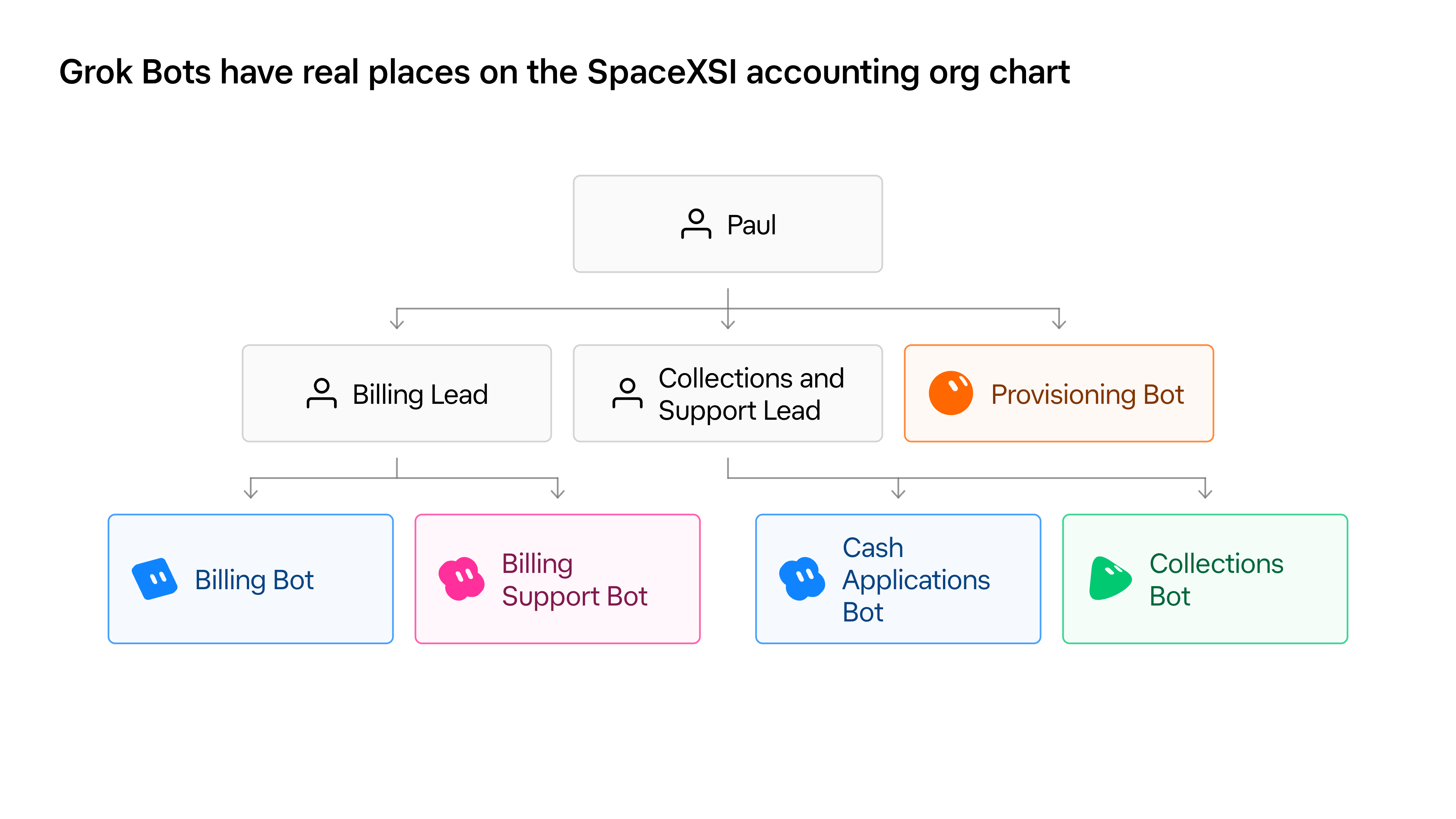
We've built five Team Bots, each with a carefully scoped responsibility:
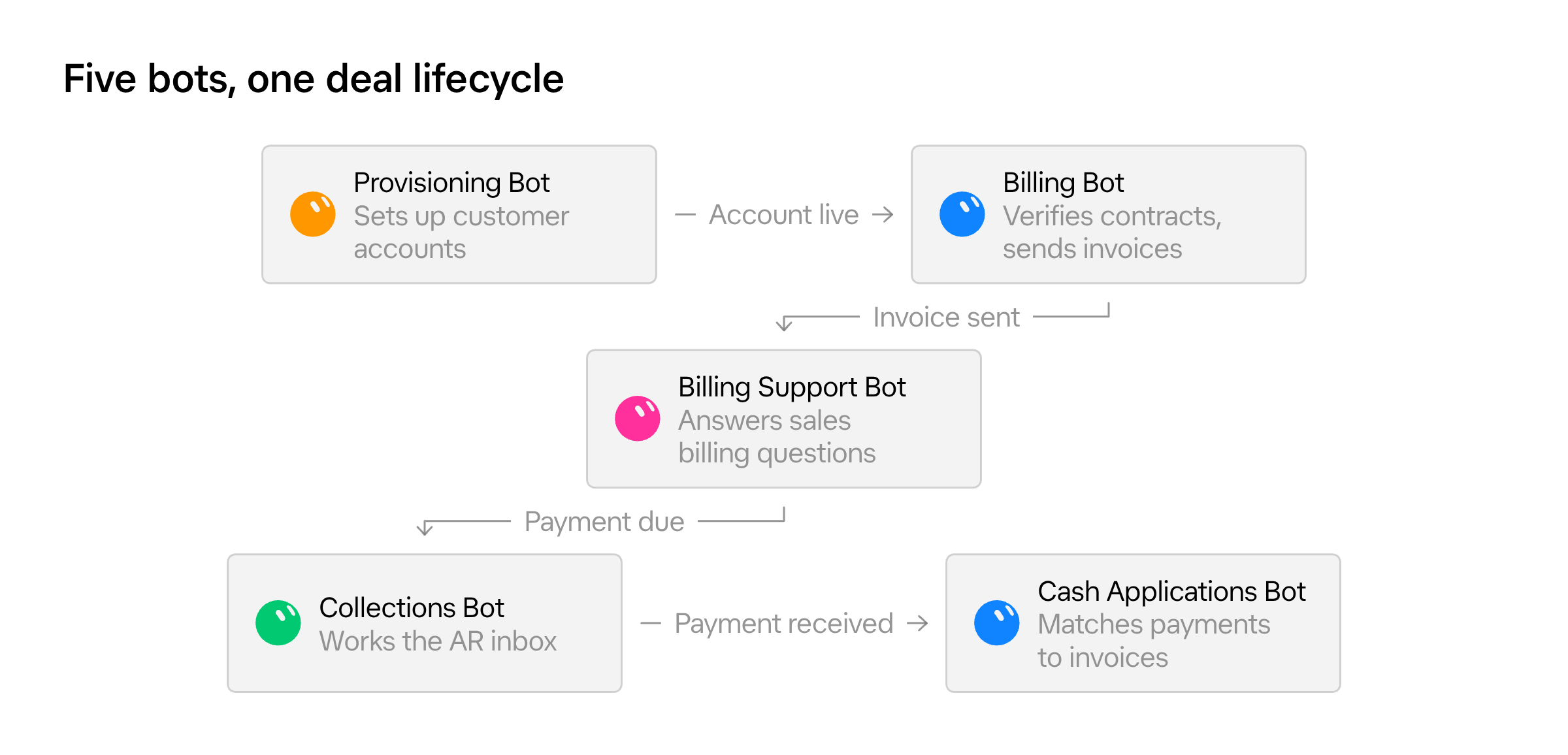
- Provisioning Bot checks contracts and sets up or closes customer accounts.
- Billing Bot verifies contract details and generates invoices.
- Billing Support Bot answers billing questions and takes action on requests from our go-to-market team, such as updating customer records or retrieving invoices.
- Cash Applications Bot applies incoming payments, investigates discrepancies, writes off bank fees, and flags short payments for collections.
- Collections Bot handles customer billing inquiries and coordinates requests such as refunds.
Setting them up has taught us a lot about what it takes to make Bots reliable enough to own important business processes. Here's how we've approached building our team and what each Bot does.
How we build and manage our accounting Bots
Our initial experiments with Grok Bot involved some trial and error as we figured out how best to organize the work. We eventually settled on assigning each Bot an existing well defined and scoped accounting process to own from beginning to end. Rather than asking a Bot to help with various tasks, we give it a specific job that a person on our team would otherwise perform.
One common misconception about AI agents is that they should be able to do a job as soon as you give them access to the right systems. In practice, we've found that Bots need the same investment in documentation, onboarding, and ongoing coaching as new employees.
That takes time upfront, but once trained, they can work around the clock and handle far more volume with greater accuracy than a person doing the same job. When we teach a Bot a new skill, it's like uploading a new capability that it can immediately put to work.
Build reliable processes before assigning them to Bots
A Bot will struggle to run a process that people haven't already figured out how to perform reliably. If the workflow is poorly defined or depends on undocumented knowledge, giving it to a Bot won't solve those problems.
For that reason, we've invested in building applications that make our accounting processes more structured. We use Grok Build to create applications with interfaces that define how a process works and what actions are permitted. This gives the Bot a controlled environment to work in, rather than leaving it to figure out how to perform each task from scratch.
For example, we built an internal provisioning application that provides a defined way to enable customer accounts, with controls on what actions can be taken. Our Provisioning Bot now operates that application. This gives us a reliable process with a logged audit trail of actions taken that both people and Bots can use.
Document each job as if you're onboarding an employee
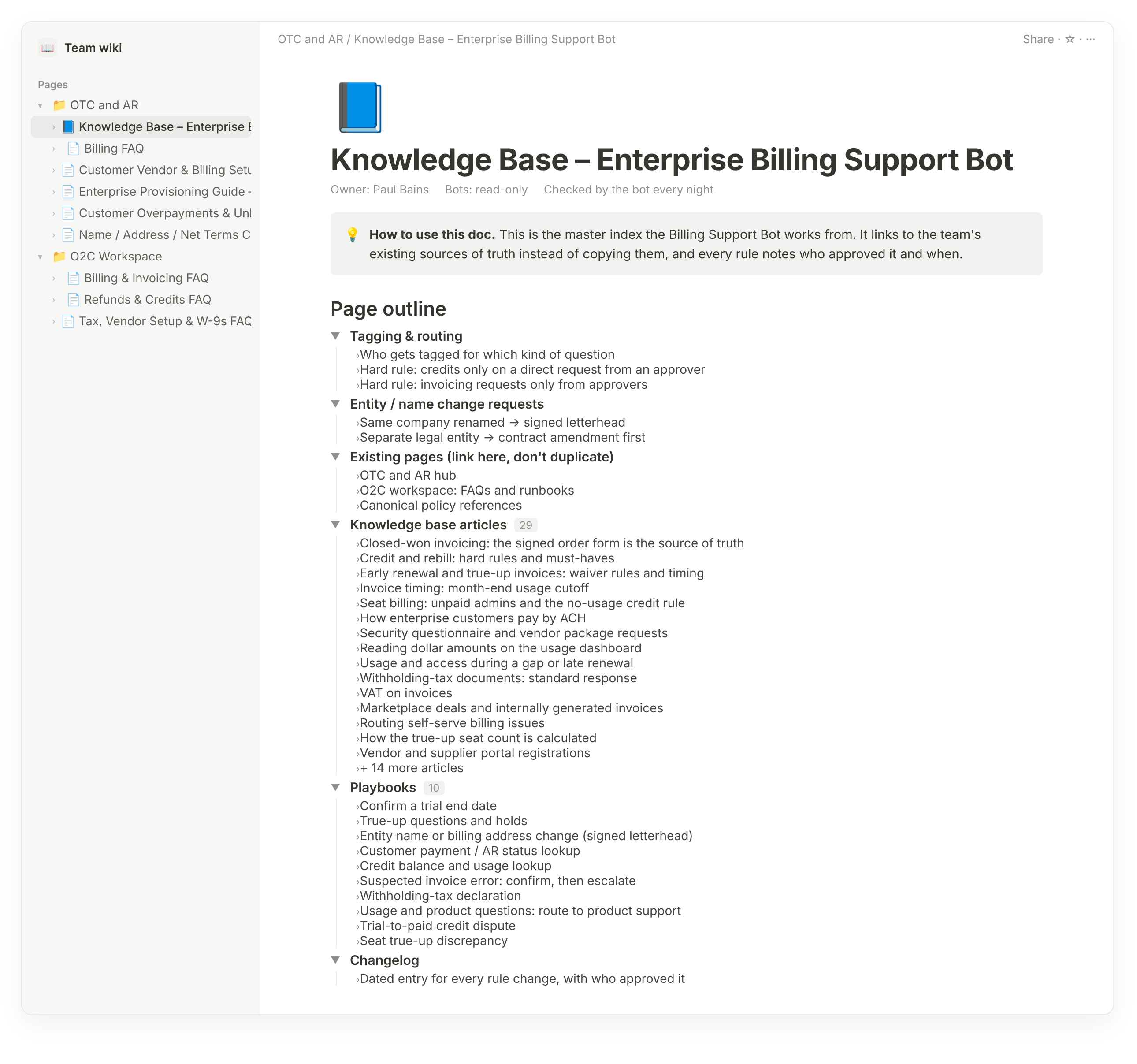
We maintain a Notion document that serves as each Bot's operating manual. It contains the knowledge and instructions the Bot needs to do its job, from how to verify contract details before issuing an invoice to which billing adjustments require human approval.
Each night, the Bots consult these documents to refresh their knowledge and flag any discrepancies with their existing instructions. They cannot edit the documents themselves. Only the people responsible for each process have that permission.
When we change a policy or discover a better way to handle a transaction, we update the documentation and teach the Bot the new procedure. The people who know the job best remain responsible for defining how it gets done.
Give Bots clear permissions and approval requirements
Accounting processes require careful controls because they affect financial reporting and may be subject to audit requirements or control frameworks. Our Bots can read the information they need, but their ability to change records is more restricted.
Grok Bot can also connect securely to internal systems through integrations such as Tailscale. This allows Bots to access private tools and data without exposing those systems to the public internet. Companies can control which resources a Bot can access, with access policies tied to the identity of the person who authorized the connection.
We allow them to execute lower-risk tasks independently and require approval for sensitive actions such as issuing credits or refunds. We also control who can authorize those actions. For example, anyone with appropriate access can ask Billing Support Bot to explain an invoice, but only designated people can authorize changes to billing records.
Train Bots before letting them work independently
We train new Bots the same way we train new employees. We start by teaching them how the job works, then have them observe us performing the work before gradually giving them responsibility for completing tasks on their own. This gives us time to identify gaps in their knowledge and correct mistakes before they start working independently. Our typical onboarding process now takes about three weeks:
- Week one: Build the Bot's knowledge base and have it observe how we perform the job.
- Week two: Let the Bot propose actions and explain what it intends to do, with a person approving its work.
- Week three: Allow the Bot to execute routine work independently and escalate exceptions.
Our first Bots took longer to develop. Billing Support Bot, for example, took four to five weeks to roll out. As we've learned how to structure the work, we've been able to build subsequent Bots much faster. We continue to coach them after launch, correcting mistakes and updating their instructions, while they handle work that would otherwise require several full-time employees.
Provisioning Bot sets up and closes customer accounts
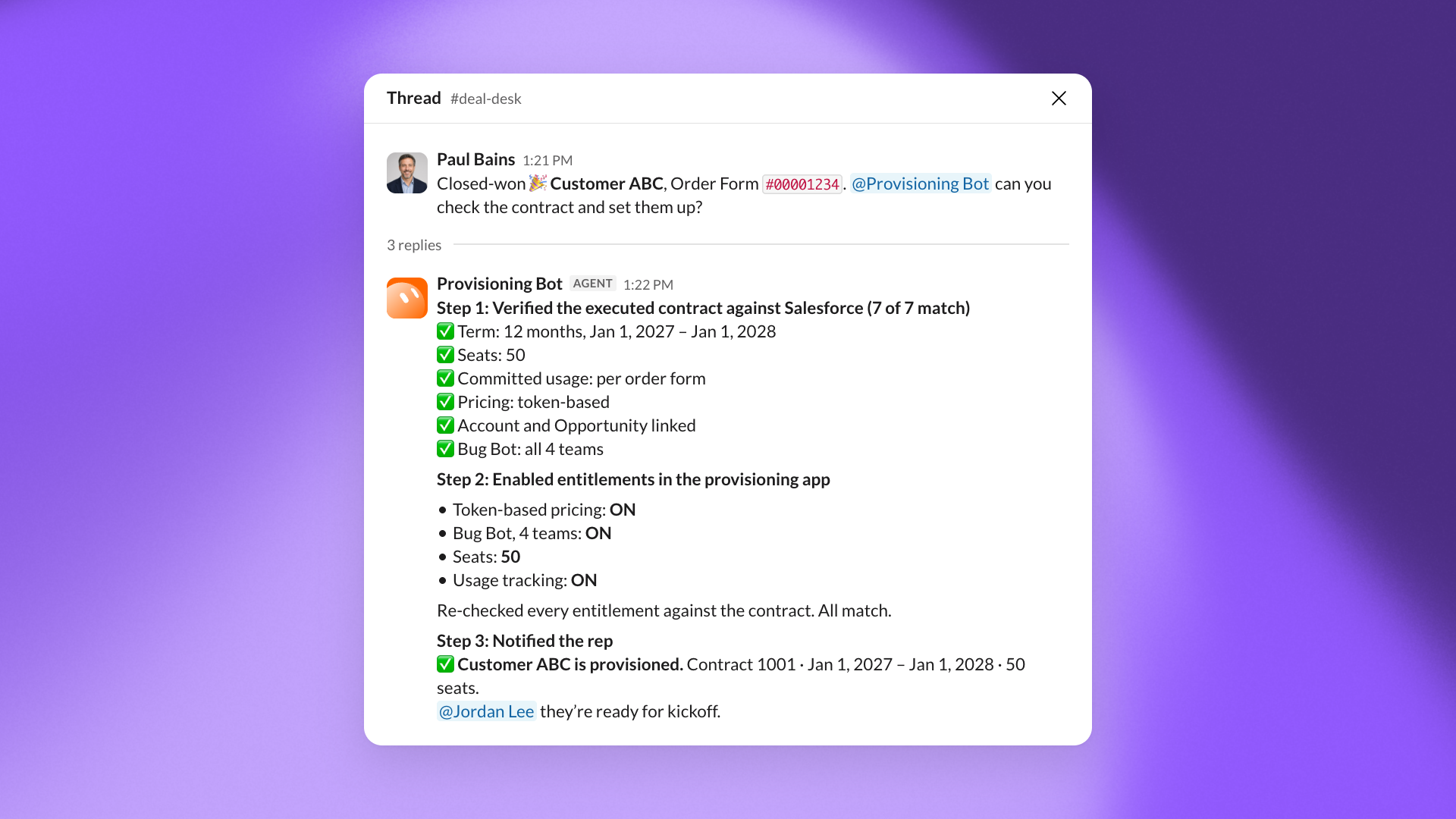
Provisioning Bot makes sure customers receive the correct access to our products when they sign a contract, and that access is removed when their contract ends. It uses an internal application we built with Cursor to manage this process, which previously required someone on our team to handle manually.
When a deal closes, Provisioning Bot compares the executed contract against the corresponding Salesforce records. It checks that the order details match, then uses our provisioning application to enable the customer's account. Afterward, it verifies the entitlements against the contract and notifies the sales rep in Slack that provisioning is complete.
When a customer churns or a contract ends, the Bot also removes the corresponding entitlements. This helps us avoid provisioning errors that could leave customers without the access they've purchased or allow access to continue after a contract ends.
Billing Bot generates invoices and checks for errors
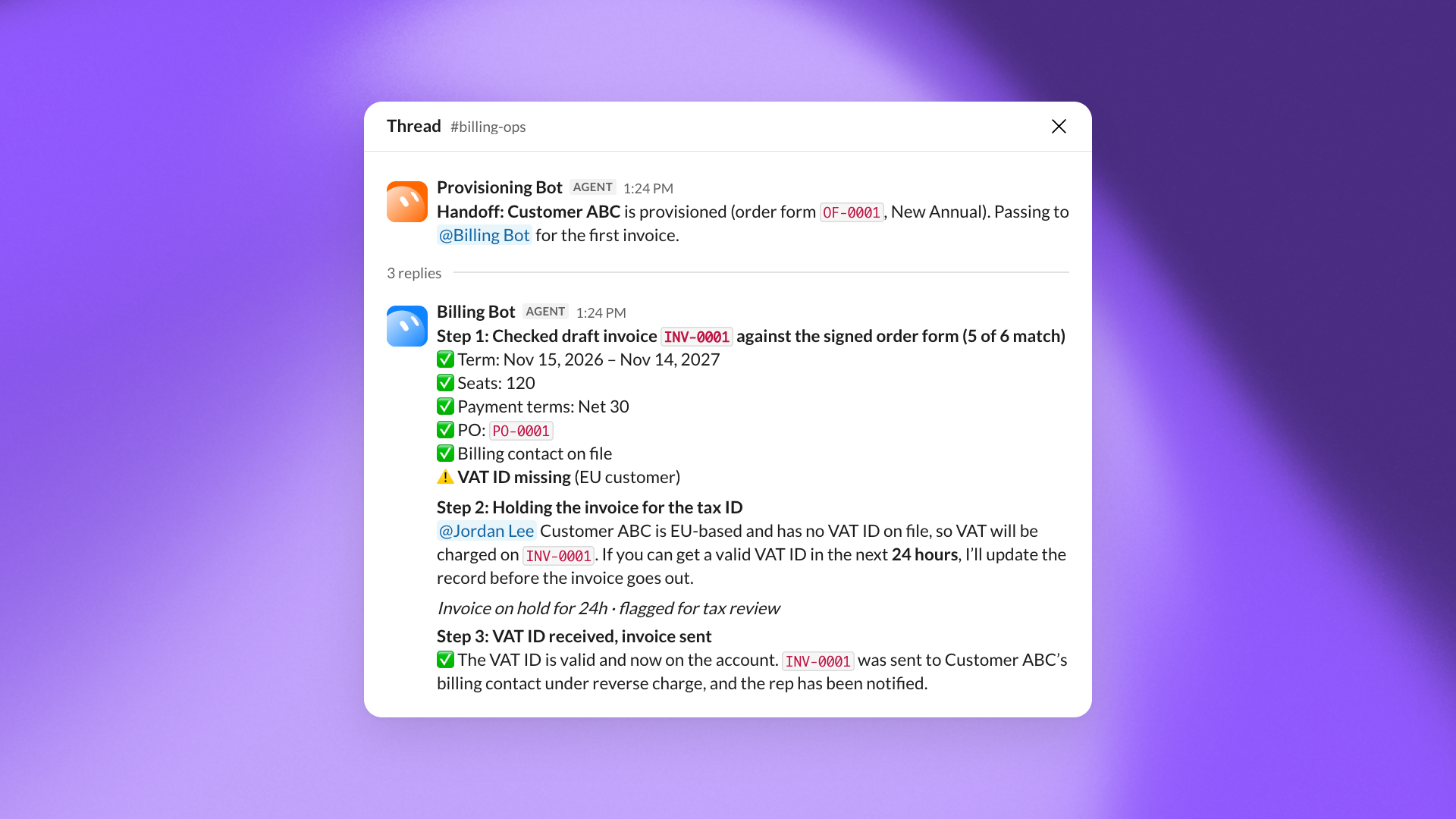
Billing Bot takes over once a customer account has been provisioned. It checks that the information in our billing system matches the terms of the executed contract before generating, and sending an invoice.
To do this, the Bot compares the contract against the customer records that flow from Salesforce into Campfire. If it finds a discrepancy, it corrects the information in Campfire so invoicing can proceed and alerts the appropriate team to fix the underlying Salesforce record. It then sends the invoice and notifies the sales rep.
This has reduced the time required to issue an invoice from roughly 24 hours to minutes.
Billing Bot also checks for missing tax information. For example, if a customer hasn't provided a VAT or GST identification number, the Bot notifies the sales rep of the tax that will be assessed and gives them 24 hours to provide the missing information. Previously, we might have sent the invoice and resolved the issue only after the customer raised a question. Now we can address it before the invoice goes out.
The Bot can also handle credits and rebilling, subject to additional permissions and approvals.
Billing Support Bot answers questions from our go-to-market team
Billing Support Bot handles requests from our go-to-market team about customer billing. It connects to our core accounting systems, allowing sales reps to get answers and make routine updates without involving someone on our accounting team.
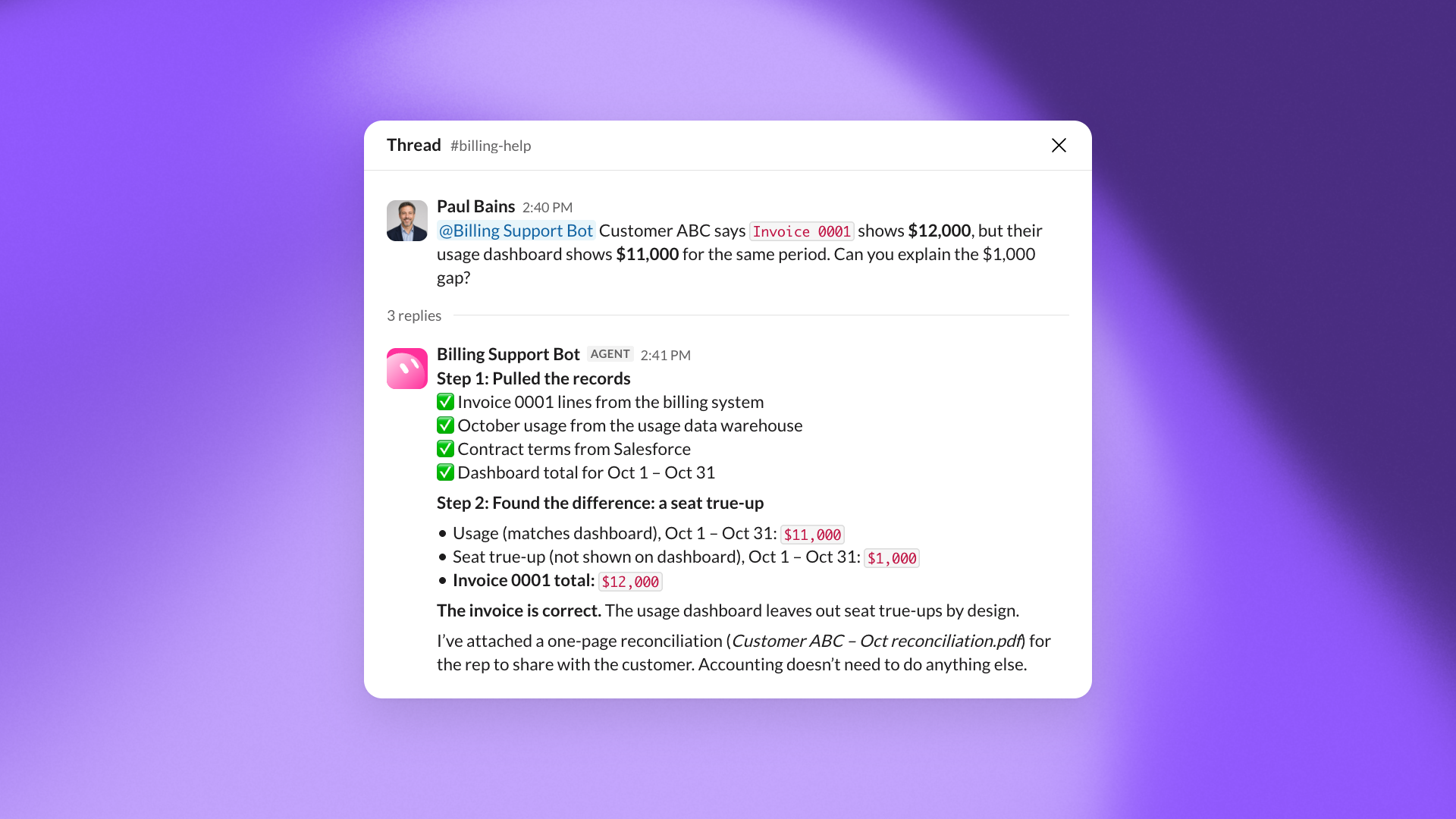
For example, a customer might notice that the usage shown on an invoice doesn't match their dashboard. Billing Support Bot can investigate the underlying records to explain why the two amounts differ.
The Bot can also take action directly. If a rep needs to update a customer's billing email or add additional recipients, they can ask the Bot in Slack. It verifies that the new addresses match the customer's domain, then updates the billing records automatically.
Previously, our team handled these requests one at a time, even when the underlying work was straightforward. Now the Bot can resolve many of them from start to finish. We estimate that Billing Support Bot has freed up approximately eight hours a day across our accounting team's work.
Cash Applications Bot reconciles customer payments
Cash Applications Bot reconciles incoming customer payments against outstanding invoices. Beyond matching payments automatically, it investigates discrepancies and handles routine adjustments that would otherwise require an accountant to intervene.
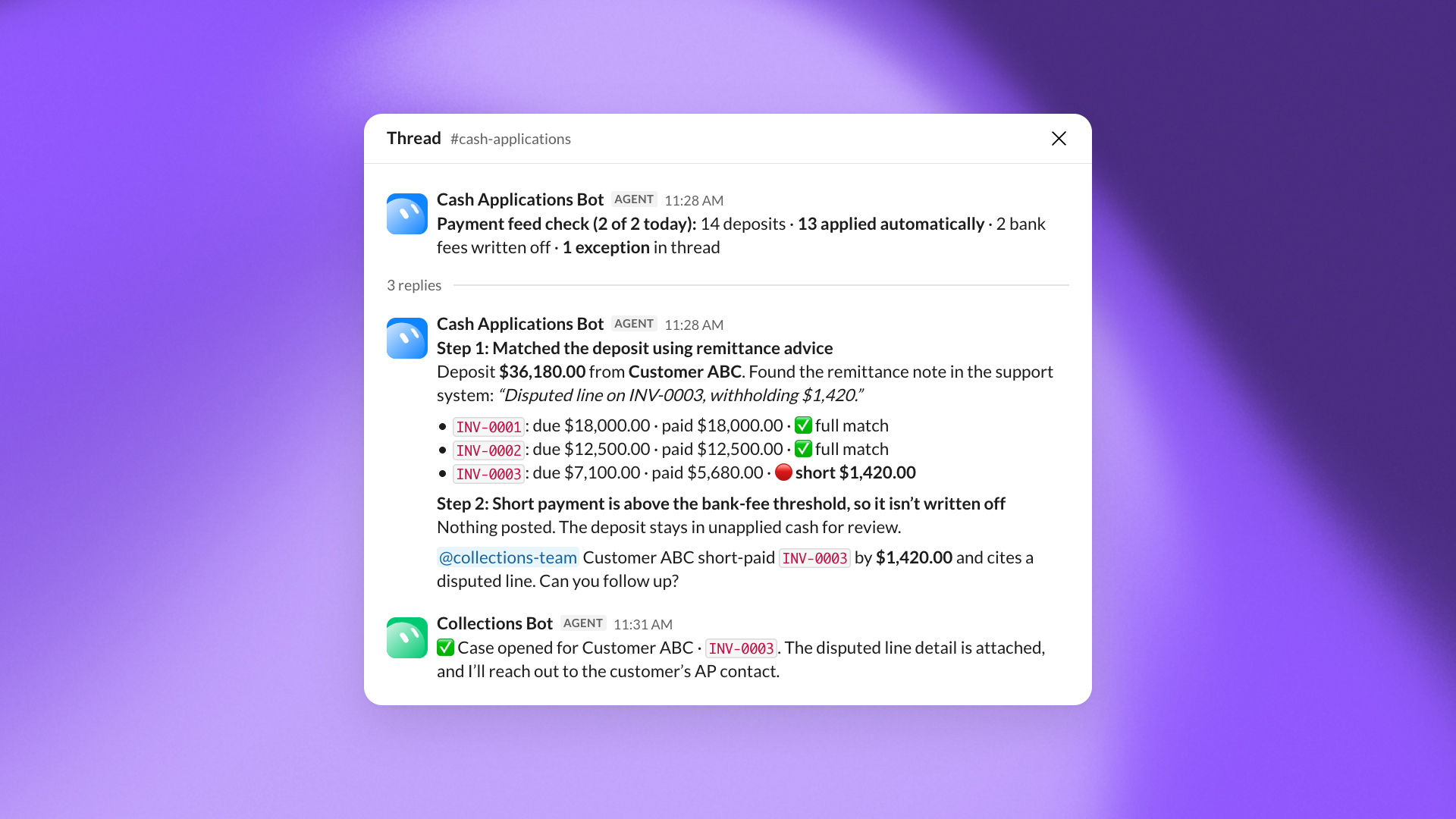
The Bot checks our payment feed twice daily and automatically applies payments that match outstanding invoices exactly. When a payment doesn't match, it searches our customer support system for remittance advice that can help identify which invoices the payment covers.
The Bot also automatically writes off bank fees that cause discrepancies between payment and invoice amounts. If a customer has paid less than they owe, it flags the short payment to our collections team for follow-up.
This process ordinarily takes an accountant three to four hours. The Bot completes it in roughly 30 minutes.
Collections Bot handles customer-facing billing inquiries
Collections Bot is our first accounting Bot to communicate directly with customers. It monitors our accounts receivable inbox, answers billing questions, and coordinates requests that require action from other Bots.
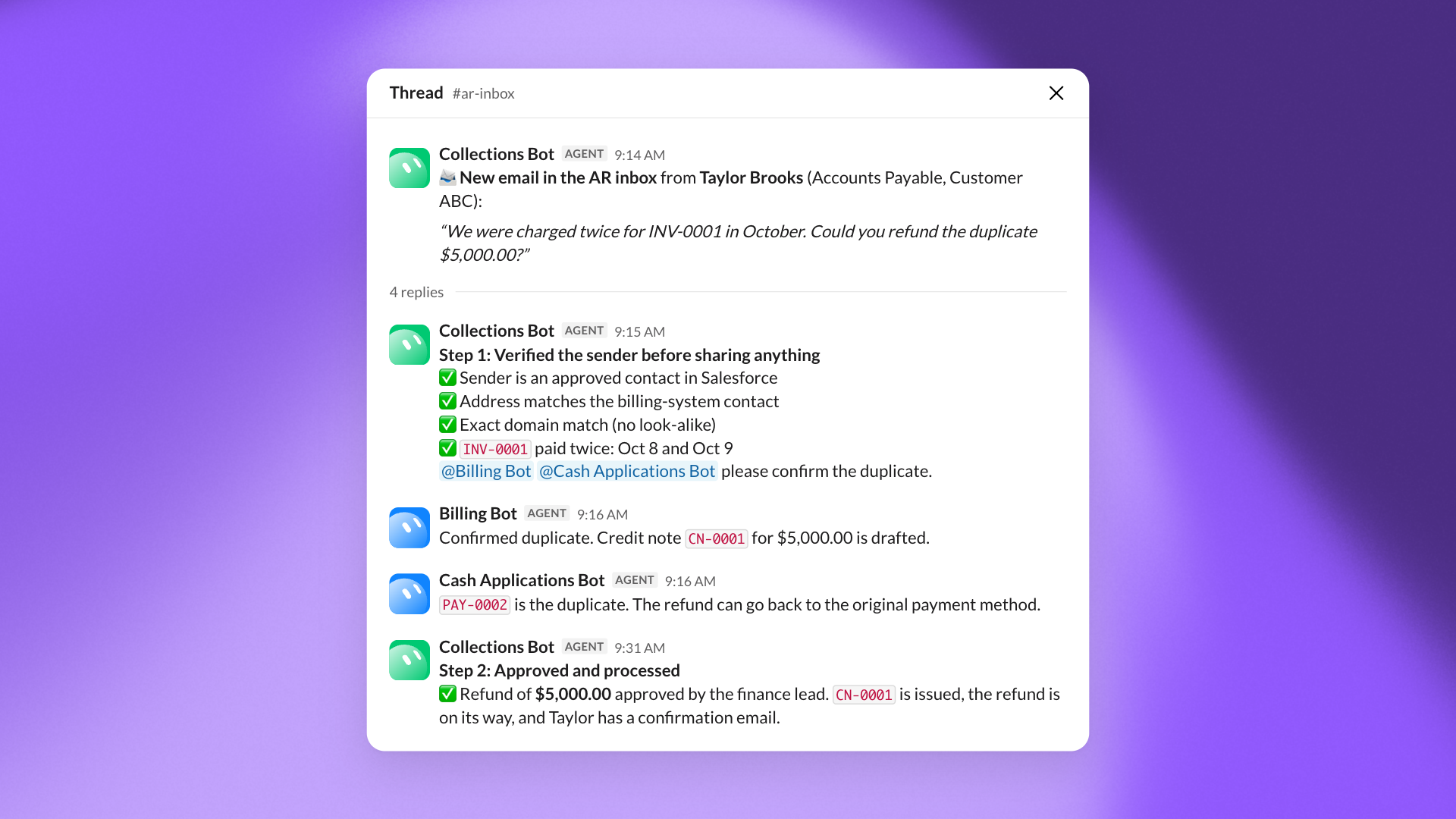
For example, if a customer requests a refund, Collections Bot works with Billing Bot and Cash Applications Bot to investigate the request and prepare the necessary actions. The Bots must obtain approval from an authorized person before processing the refund.
We spent approximately three months training Collections Bot because customer-facing communication introduces additional security requirements. In particular, the Bot must verify that someone requesting account information is authorized to receive it.
It does this by checking the sender's email address against approved contact information in Salesforce and our billing system. A similar-looking email domain isn't sufficient. If the information doesn't match, the Bot escalates the inquiry to a person rather than release sensitive information.
Building toward an SI accounting team
Without Grok Bot, we estimate that the work we're assigning to these five Bots would require more than doubling the headcount on our team. Instead, we're building a team in which Bots handle routine processes and our accountants focus on managing the work, improving the systems, and resolving exceptions.
The biggest lesson from our experience is that building an effective AI team requires the same attention we'd give to building a human one. We need to define jobs clearly, document how they're performed, and invest in training. Once we've done that, we can give Bots responsibility for work that previously depended on people being available to do it.