Designing Grok Bot for a world of persistent agents
How we designed Grok Bot for agents that persist beyond a single session — from a chat history to a Bot roster, presence, a computer of the Bot’s own, and work that starts without a prompt.
When we started designing Grok Bot, one of the central questions was how the interface should shape the relationship between user and agent. Most AI interfaces are organized around a chat session the user operates. Each session begins with setup, unfolds as the user looks on, and ends when the conversation stops.
We wanted to design for an agent that persists beyond any one session and can carry responsibility on its own. That meant reconsidering some of the basic objects and signals of the interface, including what belongs in the sidebar, how an agent shows progress, and when its work should become visible.


Search
Kenny
7:34 PM
Need your yes on the Friday all-hands deck.
Justin
8 intros drafted — sitting in the CRM till you send.
Luke
7:34 PM
Inbox's at 3. Two need a reply today.
Website launch
11:18 AM
John: checkout's clean on staging, 3 bugs closed.
John
Yesterday
Repro'd the checkout crash. Write-up's in the ticket.
Keith
Acme's wobbling. Drafted a Thursday check-in.
Tyler
9:04 AM
14 receipts in. Still missing your Uber from Tuesday.
Manuel
2:20 PM
Launch post is live. First 200 impressions.
Jenny
Tuesday
3 places in SoMa. The Folsom 2bed is the one.
Chang
10:12 AM
Sourced 3. Skipped one already in your ATS.
Plugins

Peng Zheng
Kenny
9:41 AM
Message Kenny


Kenny’s screen
Routines
Morning briefing
Every day at 8:00 AM
Inbox cleanup
Weekdays at 6:00 PM
Weekly team update
Paused
Rethinking the primitives
AI products have accumulated a large vocabulary in a short time. Chats, sessions, models, context windows, memories, system prompts, projects, skills, connectors, agents, tools, sandboxes, permissions, and automations all describe real parts of these systems.
But exposing each one as a separate product concept asks users to understand more than they need to. We started by asking which concepts a person actually needs in order to work with an agent.
We kept coming back to five:
- Bots are persistent agents with their own identity, memory, runtime, and tools.
- Chats are the conversational interface for working with a Bot.
- Prompts give a Bot context or instructions. They can be used once, saved as Skills, or triggered automatically as Routines.
- Tools let Bots access information and take action through software, APIs, connectors, the shell, or computer use.
- Artifacts are the documents, designs, code, data, and other durable outputs that Bots create or modify.
Everything else could remain beneath the interface until the user had a reason to care about it. The next question was which of these five objects should organize the product.
From chat history to a Bot roster
Chats are disposable. We start a conversation to solve a problem. It gets pushed down the sidebar. A week later, we start another one. You rarely go back beyond the most recent five.
That behavior is perfectly reasonable when the unit of interaction is a question. It becomes strange when the thing on the other side of the interaction is supposed to know you, remember previous work, and take responsibility over time.
So the main objects in Grok Bot are Bots, not conversations. A Bot has a name. It has an avatar and a title. It remembers its conversations with you. It has its own computer and tools. When you come back tomorrow, you are coming back to the same Bot.
Project Acme
Draft a follow-up to Acme after Friday’s call
Rewrite the pricing one-pager
What should I ask in the security review?
Build a champion map from my call notes
Practice the demo with hard objections
Compare these three competitor decks for me
Show more
Kenny
7:34 PM
Need your yes on the Friday all-hands deck.
Justin
8 intros drafted — sitting in the CRM till you send.
John
Yesterday
Repro'd the checkout crash. Write-up's in the ticket.
Keith
Acme's wobbling. Drafted a Thursday check-in.
Presence as interface
Once a Bot was something you maintain over time rather than a session you start, the way Bots appear in the product had to answer three questions at once:
- Who is this?
- What are they doing?
- How much do I need to know?
Who is this
A roster only works if it can be scanned quickly. As the roster grows, we did not want people to have to read every name each time they opened the product. They should be able to recognize a Bot from its avatar almost peripherally.





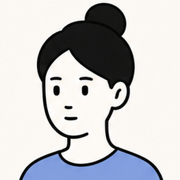



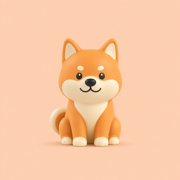

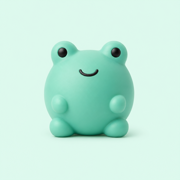




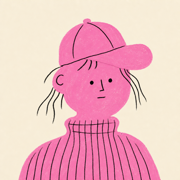


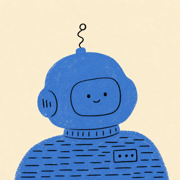

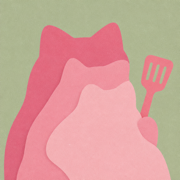



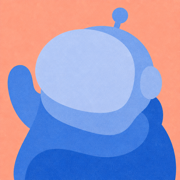


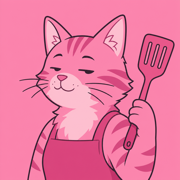




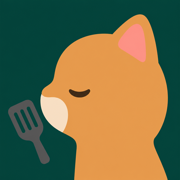

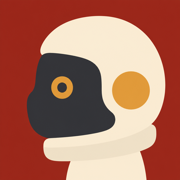


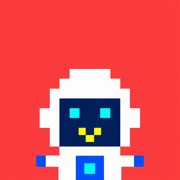
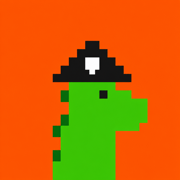
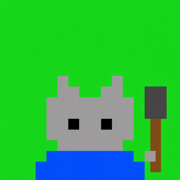
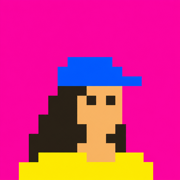
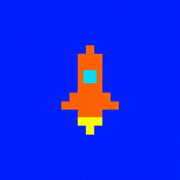

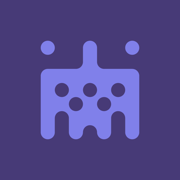
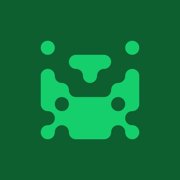
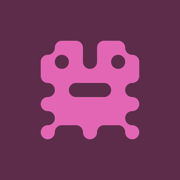



At the same time, we wanted to keep the avatars consistent enough to read as one system. We studied character systems across illustration, animation, games, and interface design, exploring everything from initials and emojis to pixel art, watercolor, claymorphism, Noritake-style line art, silhouettes, and identicons.
Most approaches solved one side of the problem better than the other. Watercolor and clay gave individual Bots plenty of character but carried too much detail at sidebar scale. Simpler systems sat more naturally in the interface, but often left the Bots looking interchangeable.
The system we landed on keeps the basic construction consistent, using simple shapes and expressive eyes, then introduces distinction through controlled variations and accessories. Each Bot remains recognizable at a glance without appearing to come from a different visual world.
What are they doing
Once the avatar became the Bot’s identity, it was also the natural place to show state. A Bot may be idle, thinking, working, waiting, blocked, or done. We could have represented each state with a separate indicator, but that would have added another layer of UI for the user to interpret.
Instead, we explored how much of the lifecycle the avatar itself could carry.
At rest, the Bot is calm and slightly curious. When work arrives, it acknowledges the task. As work begins, it kicks into gear. Its motion changes again when it is waiting or needs help, then settles once the work is done. The avatar now shows what the Bot is doing as well as which Bot it is.
How much do I need to know
A related design question was how much of the Bot’s execution to show. One approach would have been the standard “three animated dots” but that would have been too little information, making it hard for users to tell whether the Bot was working or stuck.
We also tried showing a short written description of the Bot’s current action, but once people could see one step, they wanted to see the rest. User research showed us that they were asking for that detail mainly for reassurance that the Bot was still working and on the right track.
In the final design, the avatar’s motion provides the first bit of reassurance by showing that the Bot is active. If someone wants to check what it is doing, they can hover to see its current action.
Their computer, not yours
Each Bot has its own computer, which it can use to browse the web, work with files, and run software. This created another interface problem. How visible should that computer be and when should the user be able to control it?
We explored four arrangements:
- Floating window: kept the computer easy to reach but covered the conversation.
- Side by side: made the work continuously visible and encouraged users to watch it.
- Modal: made checking in easy but treated the Bot’s workspace as a temporary interruption.
- Full screen: gave the computer plenty of room but displaced the conversation entirely.
The more prominent we made the computer, the more the product encouraged users to supervise it. We decided it should remain the Bot’s workspace, with the interface providing different levels of access as the user needed them.
The final design has three levels, which allow the user to enter the Bot’s workspace without being drawn into operating it:
- Status: the title-bar icon turns purple while the computer is active.
- Preview: opening it reveals a pinned side panel where the user can follow the work without leaving the conversation.
- Takeover: when the Bot needs help, the user can open the computer full screen, take control, and then hand it back.
We also designed wallpapers that shift throughout the day, becoming lighter in the morning and darker at night. The detail gives the Bot’s computer its own sense of time and makes it feel separate from the user’s desktop.





It is closer to working with a coworker than operating a remote machine. You can tell that they are working, glance at their screen when you need context, and sit down when something requires your help.
The shape of information
Early versions of Grok Bot responded to almost every request with prose. It described a five-day forecast instead of showing one and narrated a set of tasks instead of laying them out as a board. The user then had to restructure the answer. This led us to treat the form of a response as part of the answer.
To support this, we built inline cards and widgets into Grok Bot. A Bot can answer in prose when prose fits the information and use structured UI when it does not.
New email
Ready to sendCould we move Friday’s design review from 11 AM to 2 PM? A client call came up and I don’t want to rush our discussion.
Thanks,
Peng
The same principle applies to actions. When a Bot creates a Routine, changes a setting, or messages another Bot, the event can appear directly in the transcript. The user can open it when there is more to inspect.
The result is a heterogeneous transcript in which conversation, system events, interactive objects, and visualizations share one timeline.
Organizing intelligence
Once people create several Bots, the product also has to organize how those Bots work together. We needed to decide which context should belong to each role, how Bots should share context when their work overlaps, and how to coordinate them without turning the user into a dispatcher.
We saw one answer emerge as people created more Bots. Some made a Chief of Staff Bot responsible for coordinating several specialists. They could give direction to one Bot instead of checking each one and routing every task themselves.
Giving Bots distinct roles also forced us to decide what each role should know. A legal Bot may need the history of an ongoing dispute, while a finance Bot may need years of financial records. Combining those histories into one large memory would make it harder to give each Bot the information relevant to its work.
Capabilities and context therefore follow different boundaries in Grok Bot. Tools and Skills live at the account level because many Bots may need to browse the web, work with documents, or send email. Memory and Routines belong to the Bot because they reflect what that particular role knows and does over time. Put another way, capabilities can be shared broadly while context remains with the role that needs it.
Some work crosses those role boundaries. Group chats provide shared context for a project or team while allowing each Bot to retain its specialized memory. A designer, engineer, PM, and data scientist can work in the same conversation, hand work to one another, and share what the project requires.
We considered adding dashboards, assignment boards, and explicit handoff controls to manage these groups. Each one gave the user more coordination work. Instead, coordinating Bots handle routine routing and bring the user in when a decision requires judgment.
Work that keeps moving
Most agent sessions begin when a user sends a prompt. That leaves even a persistent Bot waiting for someone to activate it. Routines let users give a Bot a standing responsibility that runs on a schedule or in response to an event, such as watching an industry or preparing a briefing every morning. The user defines the work once, and the Routine activates the Bot when it needs to happen.
We initially treated Routines as secondary configuration. As they became more important to autonomous work, we moved them into the Bot’s main interface. The transcript shows what ran and gives the user a place to review the result or handle an exception.
Every day at 8:00 AM
On weekdays at 8:00 AM
Every Monday at 9:00 AM
Monthly on the 1st at 8:00 AM
Every 30 minutes
On weekdays · 9:00 AM
Issue created in grokbot
Issue any event in all projects
Incident triggered on grokbot
Incident any event on grokbot
PR opened in grokbot
PR merged in spacexai
PR closed in acme
New push to main
Checks fail on PRs in grokbot
Label bug added in grokbot
Comment containing /fix in ops
Review approved in grokbot
Thread resolved in grokbot
Workflow deploy.yml fails
When webhook receives a POST
New messages in #grokbot
Reaction :eyes: added in #ops
Channel created matching dev
New messages in #design
Issue created in Roadmap
Issue status → In Review in Core
At end of cycle for Team Core
Issue status → Done in Design
New messages in Design team
Channel created in Design team
This also changes the role of conversation. A prompt can start a session, but so can a schedule, an event, or another Bot. Over time, more work may begin without the user being present at all.
The disappearing interface
By the end of the project, much of the design work involved taking things away. We removed window and panel controls, computer-view options, and agent metadata. We also set practical limits of roughly 50 Bots per account and six per group chat. Each decision came back to the same question: Did this help someone delegate, or did it give them one more thing to manage?
The line between operating an AI and delegating to a coworker keeps moving as models improve. Grok Bot reflects where we think it sits today. Designing Grok Bot from its earliest explorations through launch has been about finding that line and helping the interface change with it. As agents take on more responsibility, the interface should ask less of the person.