Grok Bot for Linear
Connect Linear and Grok Bot to investigate product problems, plan work, and coordinate coding agents. Every decision keeps its reasoning attached.

Taking a product idea to release means carrying context between every step. Customer feedback shapes the spec, product and design decisions shape the implementation, and engineering uncovers constraints. Someone has to keep the plan current and the team informed as the work changes.
Linear brings that context together. Grok Bot can use it to investigate a problem, organize the work, coordinate implementation, and follow through on the result. The reasoning behind a change stays connected to the people and agents building it.
The Linear project operations Bot gives Grok Bot a practical approach to this work. It comes set up with Linear, instructions, and routines, so Grok Bot can understand before acting, follow your team's conventions, delegate clearly scoped work, verify outcomes, and write useful project updates. Your team sets direction. Grok Bot handles the investigation and coordination you authorize.
Linear project operations Bot
Investigates product problems, plans work in Linear, coordinates coding agents, and keeps your team informed — all from one bot.
What you can do with Grok Bot and Linear
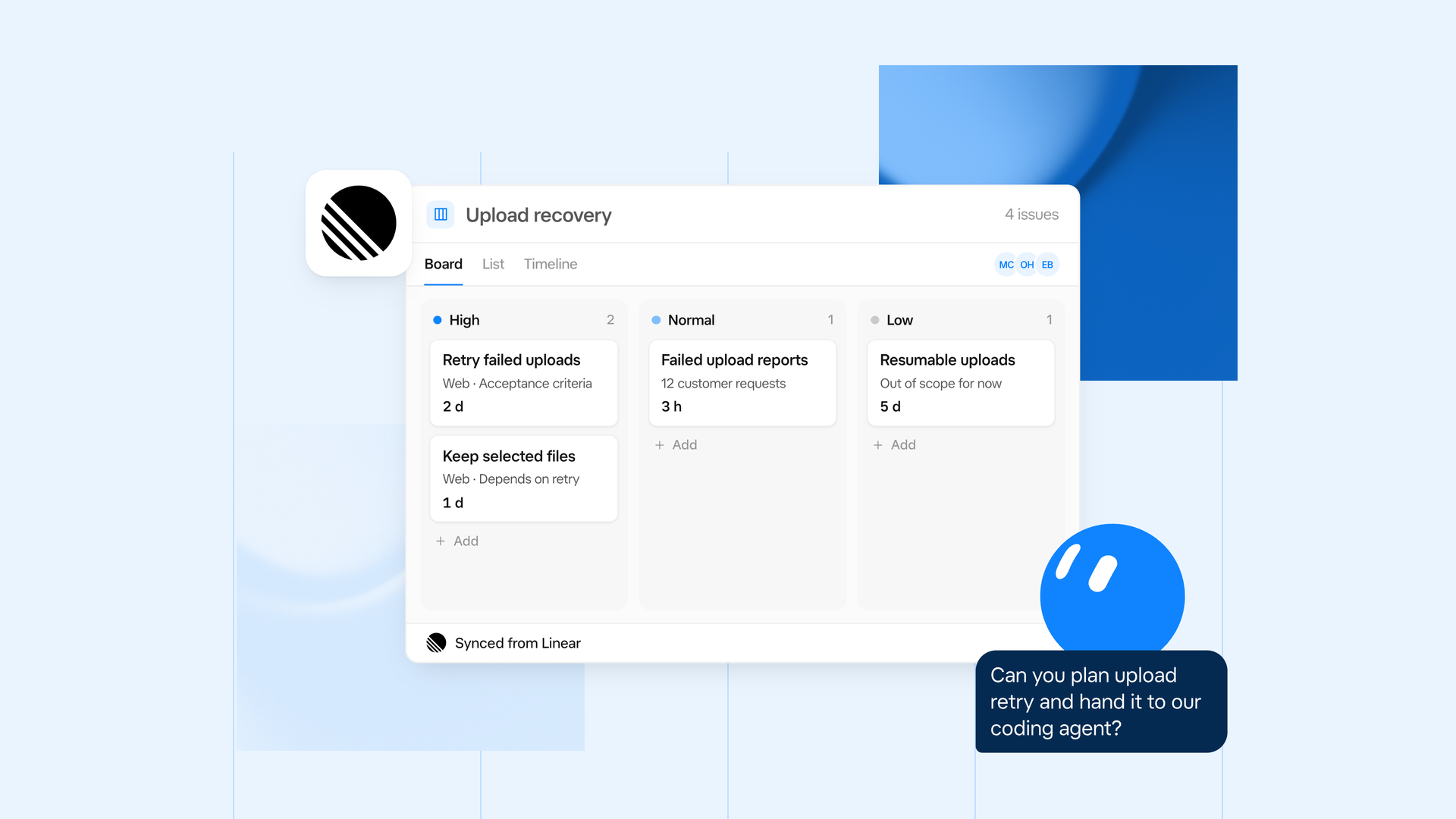
| Use case | Grok Bot example |
|---|---|
| Understand a product problem | Read related issues, customer requests, documents, and discussions to explain what users need and what is already underway. |
| Shape a project | Turn an agreed direction into a project brief and actionable issues, with acceptance criteria and dependencies. |
| Coordinate coding agents | Hand the work to your chosen connected agent with the relevant context, constraints, and required checks. |
| Follow through on delivery | Watch for a linked PR, surface blockers, and continue agreed work after a merge. |
| Keep the team informed | Draft project updates grounded in actual progress, risks, decisions, and next steps. |
From customer feedback to a reviewed change
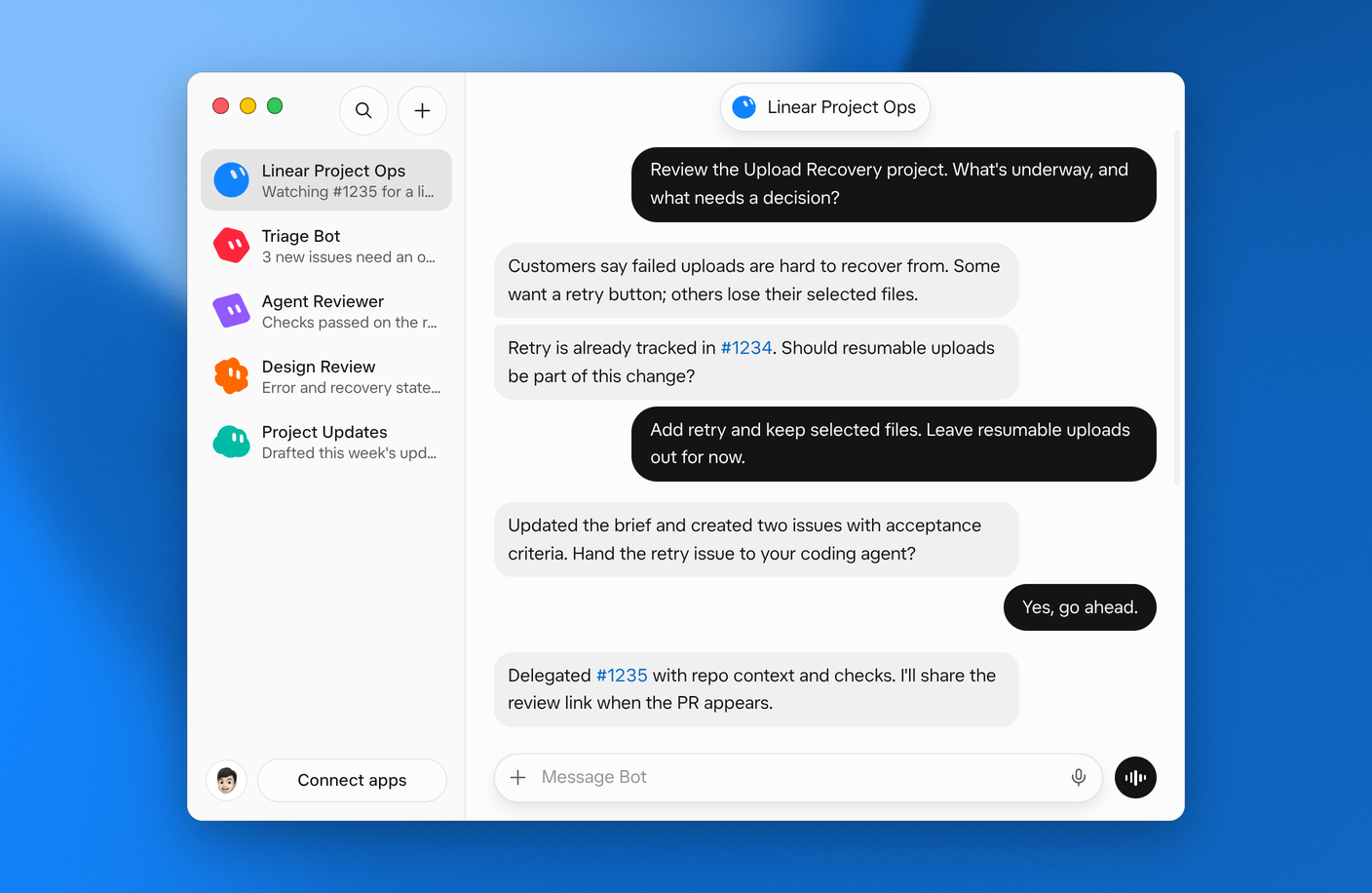
Imagine several customers report that failed uploads are difficult to recover from. Some ask for a retry button. Others say they lose their selected files and have to start over. Here is how Grok Bot could help a team work through that problem using Linear.
Understand the feedback. Grok Bot reads the related customer requests, issues, and project discussions. It checks for existing work, preserves source links, and separates observed problems from proposed solutions.
Agree on the approach. Grok Bot summarizes the evidence and open questions. The team decides to add retry while preserving selected files, and leaves resumable uploads outside this change.
Plan in Linear. Grok Bot captures the agreed scope in the existing project and creates or updates the necessary issues, including acceptance criteria and actual dependencies.
Coordinate implementation. Once authorized, Grok Bot delegates a small, reviewable task to the connected coding agent the team chooses, using the relevant repository and project context.
Follow the PR. Grok Bot watches the delegated issue for a linked PR, including drafts, and shares the Linear review link when it appears. With supported merge monitoring configured, it can continue to the next agreed issue after a merge.
Review and update. Grok Bot inspects the diff and available checks against the intended behavior, flags anything still unverified, and drafts a project update explaining progress and what happens next.
The team keeps control of scope and final approval. Grok Bot keeps the work connected across the handoffs. A merged PR is recorded as merged; release and verification remain separate steps.
Product-building use cases with Grok Bot and Linear
Start where your team already has useful context in Linear. The bot can help with a single issue or a coordinated project, without turning every idea into a detailed backlog.
- Product discovery: Synthesize related feedback into underlying problems, develop candidate projects, and surface tradeoffs for the team to consider.
- Project planning: Keep specifications, decisions, acceptance criteria, and dependencies connected as scope becomes clearer.
- Engineering coordination: Prepare complete agent handoffs, track PRs and blockers, and move through an agreed implementation plan.
- Design and product review: Check user-facing behavior against the agreed outcome, including relevant loading, empty, error, and recovery states.
- Triage: Review incoming issues for clarity, duplicates, ownership, and appropriate placement using the team's existing policies.
- Project communication: Maintain shared documents and prepare concise updates about outcomes, risks, and decisions needing attention.
How to set up Linear in Grok Bot
- Add the Linear project operations Bot. Review its instructions and included integrations before adding it.
- Connect Linear. Authorize access to the workspace you want to use, following any approval requirements your organization has in place.
- Connect your coding tools. For implementation, connect your preferred coding agent and give it access to the relevant repository and checks. Grok Bot asks which available agent to use if you have not chosen one.
- Give Grok Bot a starting point. Share a Linear issue or project and explain the outcome you want. Ask it to read existing context and follow the team's conventions.
- Choose the scope. Start with investigation or planning. Explicitly authorize implementation when you are ready, and define any recurring checks or notifications you want.
You can use the Bot for discovery, planning, and updates without connecting a coding agent. Implementation and monitoring depend on the tools and permissions available in your setup.
What the Linear project operations Bot unlocks
The Linear project operations Bot gives Grok Bot instructions for working with the context and actions available through your connected tools:
- Read and investigate: Build an understanding from issues, documents, discussions, and recent project updates. Search before creating new work.
- Organize work: Choose the right place for a project, actionable issue, specification, or discussion. Preserve source context and follow workspace conventions.
- Delegate with context: Give your chosen coding agent the intended outcome, scope, constraints, sources, and expected checks.
- Track progress: Follow delegated work through PR creation and merge using supported monitoring. Escalate blockers and decisions outside the agreed plan.
- Review outcomes: Inspect actual changes and checks, distinguish verified behavior from remaining gaps, and leave final product judgment with the team.
- Maintain shared understanding: Update existing documents and descriptions, record decisions, and communicate meaningful progress.
- Build repeatable workflows: Turn a proven task into a bounded routine with an owner, trigger, allowed actions, escalation path, and stop condition.
Start with one project and a simple request:
As the work progresses, the same context can guide planning, agent execution, review, and updates. Your team spends less time reconstructing the project at every handoff.
Linear project operations Bot
Investigates product problems, plans work in Linear, coordinates coding agents, and keeps your team informed — all from one bot.
Written by Cristina Cordova